
Menu Button
Description
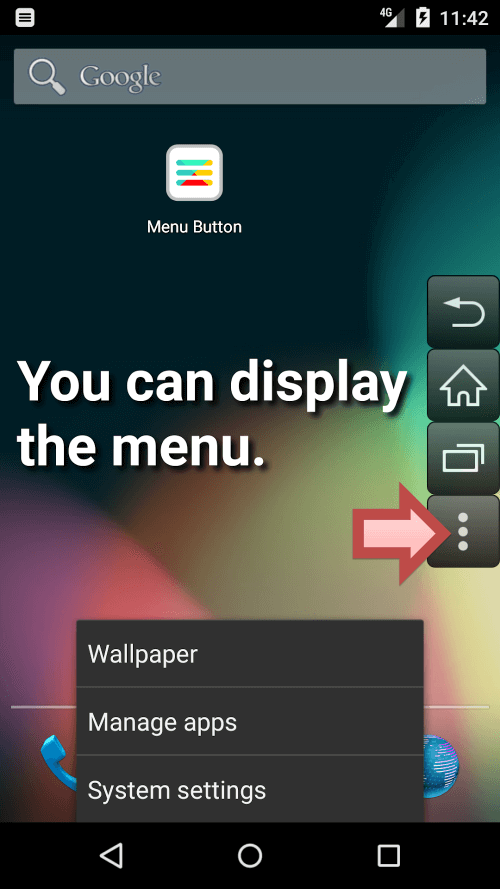
Discover the miracle solution for retrieving lost shortcuts on your Android device: Menu Button (No root)! This ingenious alternative eliminates the need for rooting your device, bringing back the essential functions of an app when its menu mysteriously disappears. Restore the vital "Home," "Back," and "Recent Apps" buttons, especially useful when your physical buttons are unresponsive.
THE EXCEPTIONAL FUNCTIONALITY OF THE "MENU BUTTON"
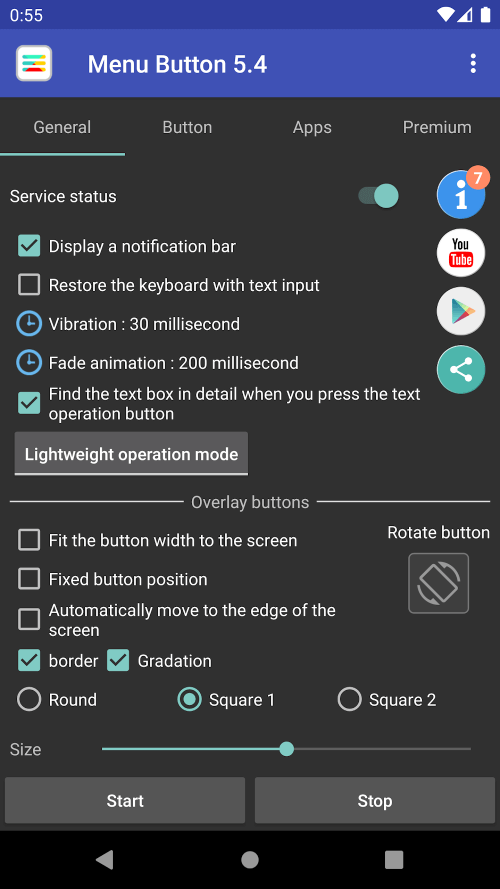
Delve into the impressive features of the menu button, and you'll find it offers much more than you might expect. You can personalize the app's buttons to your liking! Adjust everything from size, transparency, color, icon, to placement. It's akin to having a bespoke button designer crafting digital buttons that reflect your unique style. Who said form and function can't harmoniously coexist?
 |
 |
CONFIGURE BUTTONS TO YOUR PREFERENCE
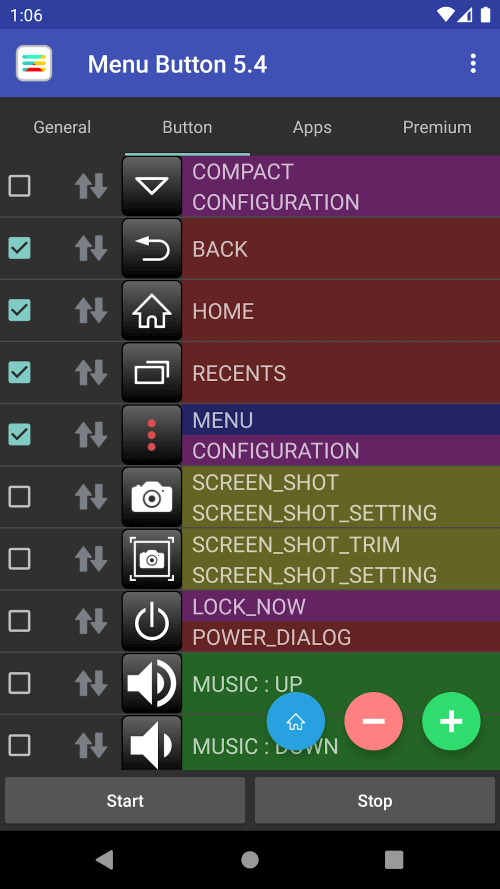
Beyond the eye-catching menu button, the application includes a remarkable array of recurring features. The "Back," "Home," and "Recently Used App" buttons are just the start. Delve deeper to discover functional "Power," "Volume up," "Volume down," "Mute," "Enter," "Space bar," "Arrow," "TAB," "Page up," and "Page down" buttons. The customization potential is vast, allowing you to tailor your interface to suit your needs.
ADDITIONAL BUTTONS GALORE
Let's address this significant enhancement right away. This remarkable app includes a keyboard, but not the ephemeral keyboard that sometimes appears on your touchscreen. This keyboard is dedicated to managing menu keys, ensuring seamless navigation for the user. Every button press triggers an enter key, confirming that your commands are acknowledged. You'll soon wonder how you managed without this silent, versatile keyboard.
THE ROLE OF THE KEYBOARD
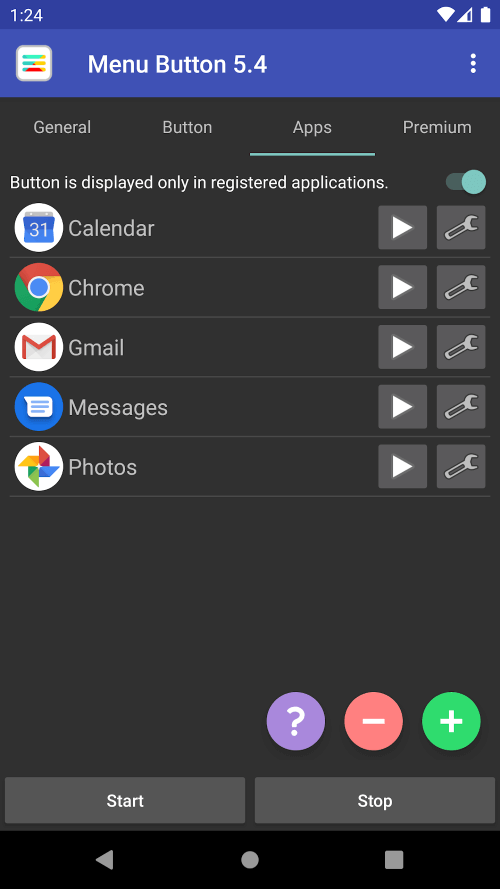
Menu Button (No Root) is an exceptional app designed with the invaluable AccessibilityService API in mind. It empowers the app to display navigational controls like back, home, and power. It's an advantageous tool as it automatically adjusts user preferences whenever the displayed app changes. This app honors your privacy, as the API neither collects nor shares any user data. Furthermore, it extensively utilizes the QUERY_ALL_PACKAGES access modifier. Register your preferred apps and use them as launchers with this feature. It can be configured to activate your chosen app's functionalities immediately upon launch. What a thoughtful companion!
 |
 |
CUSTOMIZE AND SIMPLIFY
Menu Button (No Root) not only restores standard button functionality but excels in the realm of user customization. It enables you to register your preferred apps and seamlessly integrate them into your routine. With QUERY_ALL_PACKAGES access, your favorite apps can serve
Mod Features
App Information
| App Name | Menu Button |
| Package Name | jettoast.menubutton |
| Version | v7.3 |
| Last Updated | Mar 31, 2026, 05:10 PM |
| File Size | 10 MB |
| Publisher | Jetpof Apps |
| Root Required | No |
Installation Guide
- 1. Download the APK file from the download button below.
- 2. If you have the original app installed, uninstall it first.
- 3. Go to Settings > Security and enable "Install from unknown sources".
- 4. Open the downloaded APK file and tap "Install".
- 5. Launch the app and enjoy all premium features for free.
Available Versions
Similar Apps You Might Like


